
📕 How to use GitHub Star History
GitHub stars are a useful signal when choosing a tool, but the raw count alone won't tell you if a project is gaining traction, in decline, or simply dormant. SimRepo's Star History shows you how a project's stars grow over the years - and it's free and open-source.
User Manual
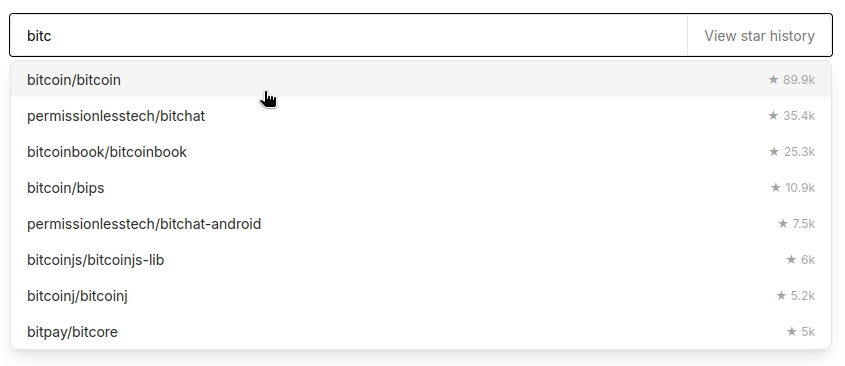
It's just a simple search box, how hard could it be? Simplicity is indeed Star History's No 1 design principal. On the other hand, it also provides some handy features for power users. Below we will show you:
- How to discover similar repositories.
- How to add a repo using 3 different formats.
- How to add multiple repos.
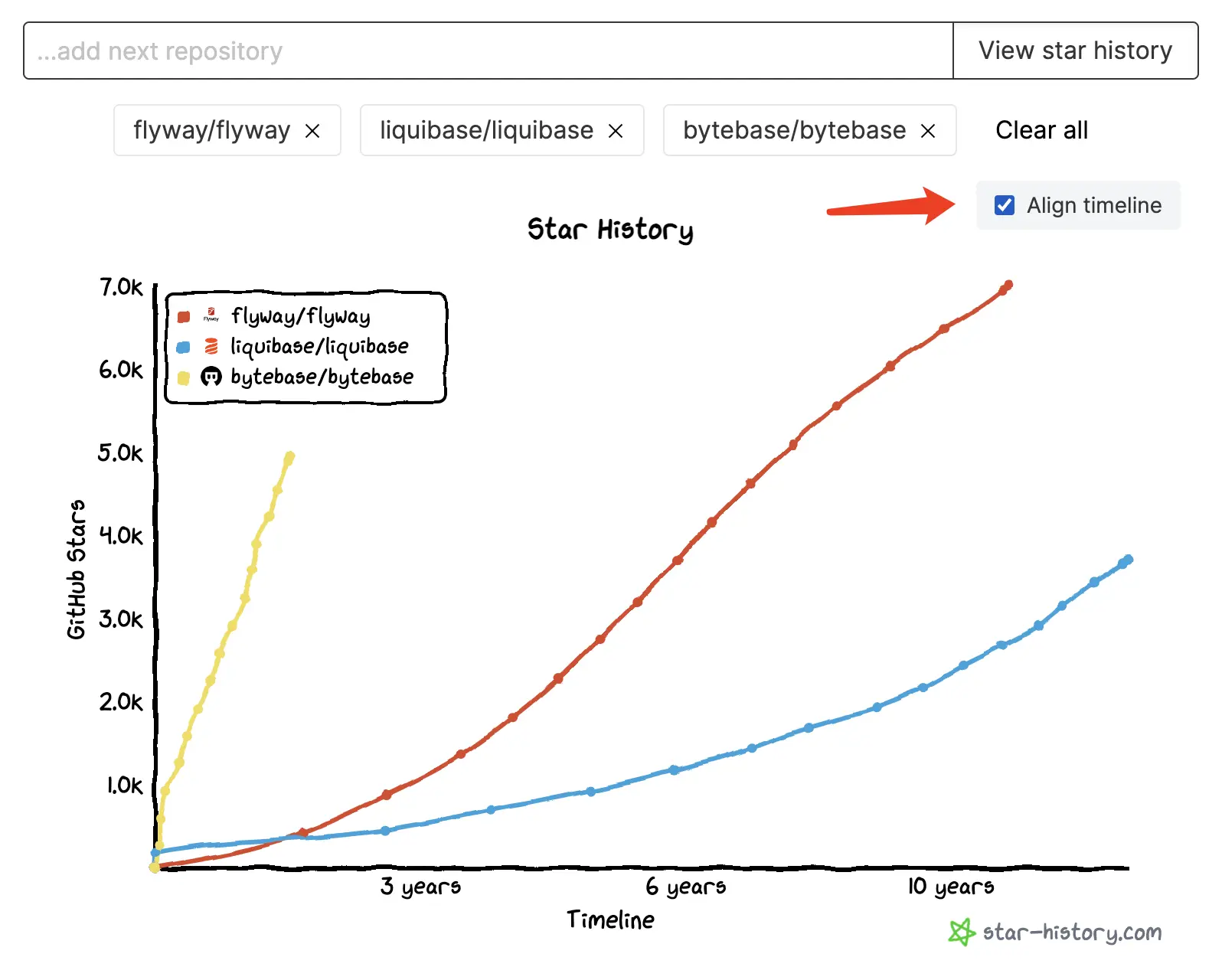
- How to align the timeline to compare multiple repos.
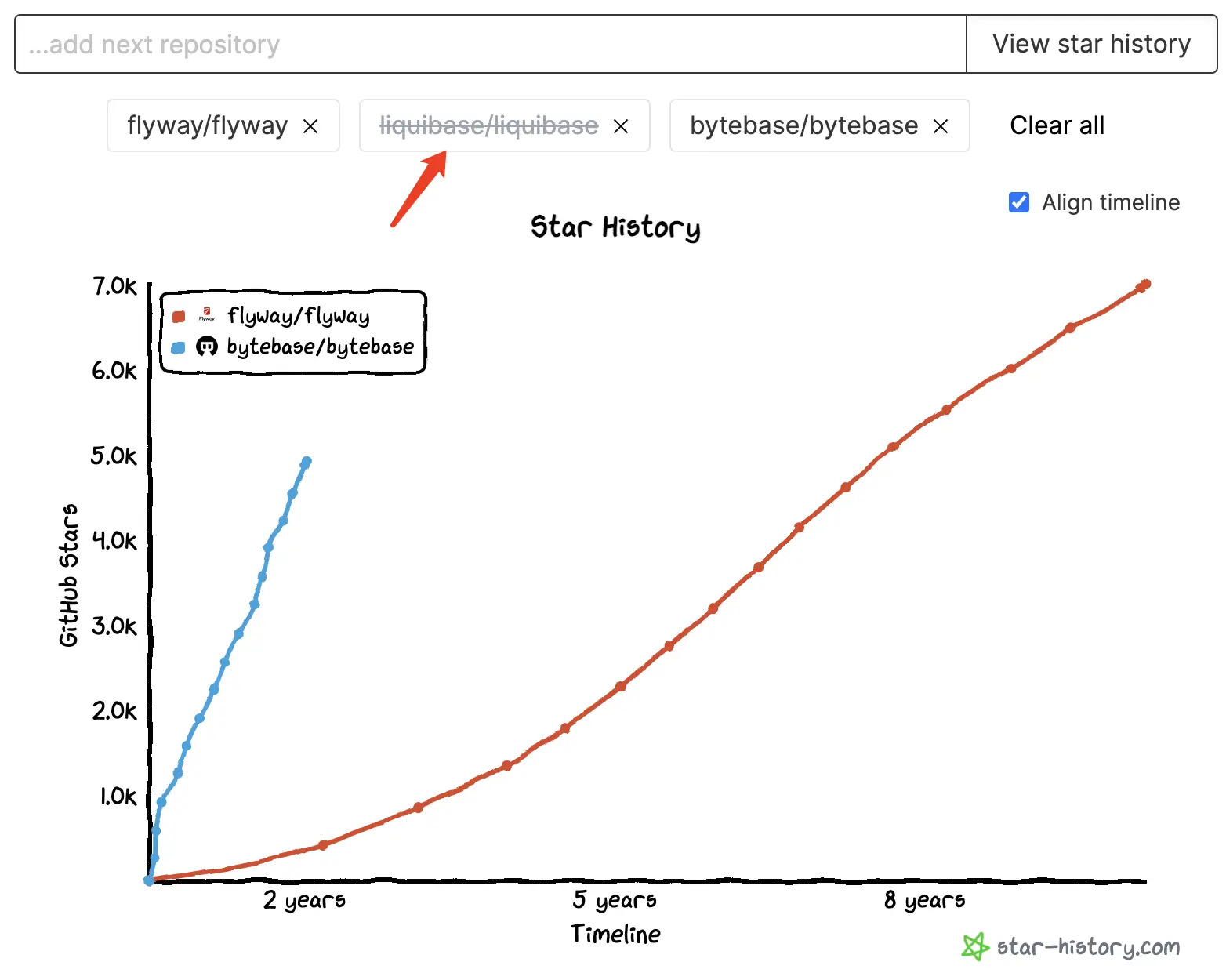
- How to temporarily show/hide a repo in the chart.
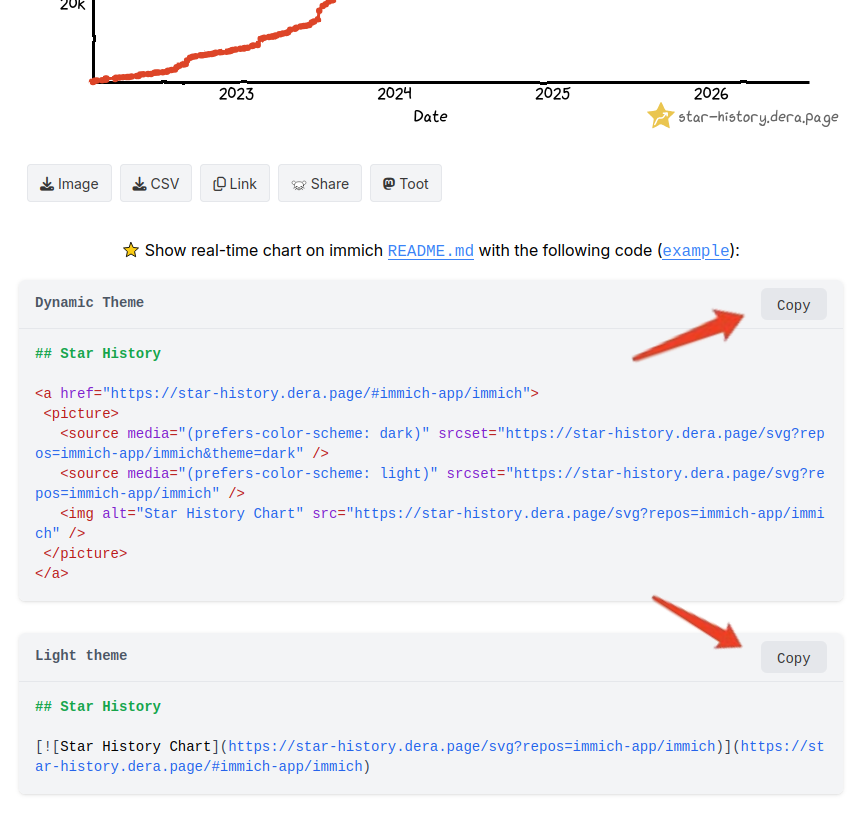
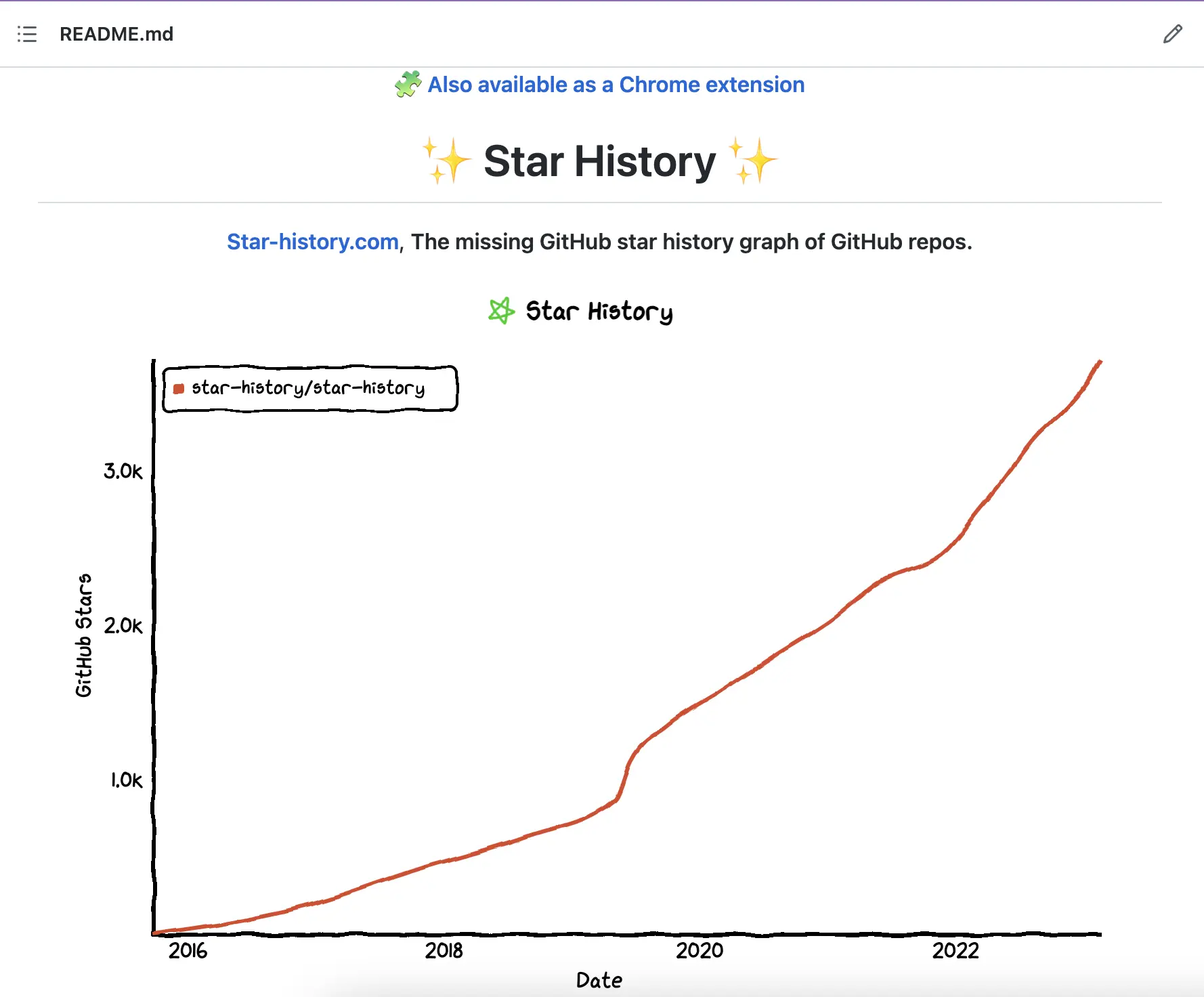
- How to embed a live star history chart inside your GitHub project README.md.
How to discover similar repositories
Searching for a single repo also surfaces similar repositories on the website, so you can spot adjacent tools worth considering:
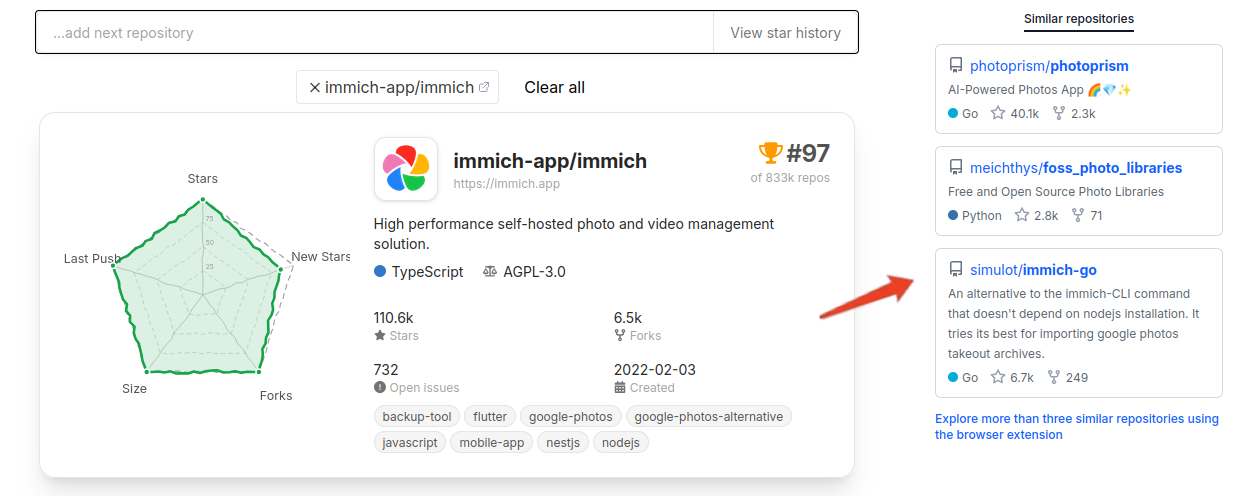
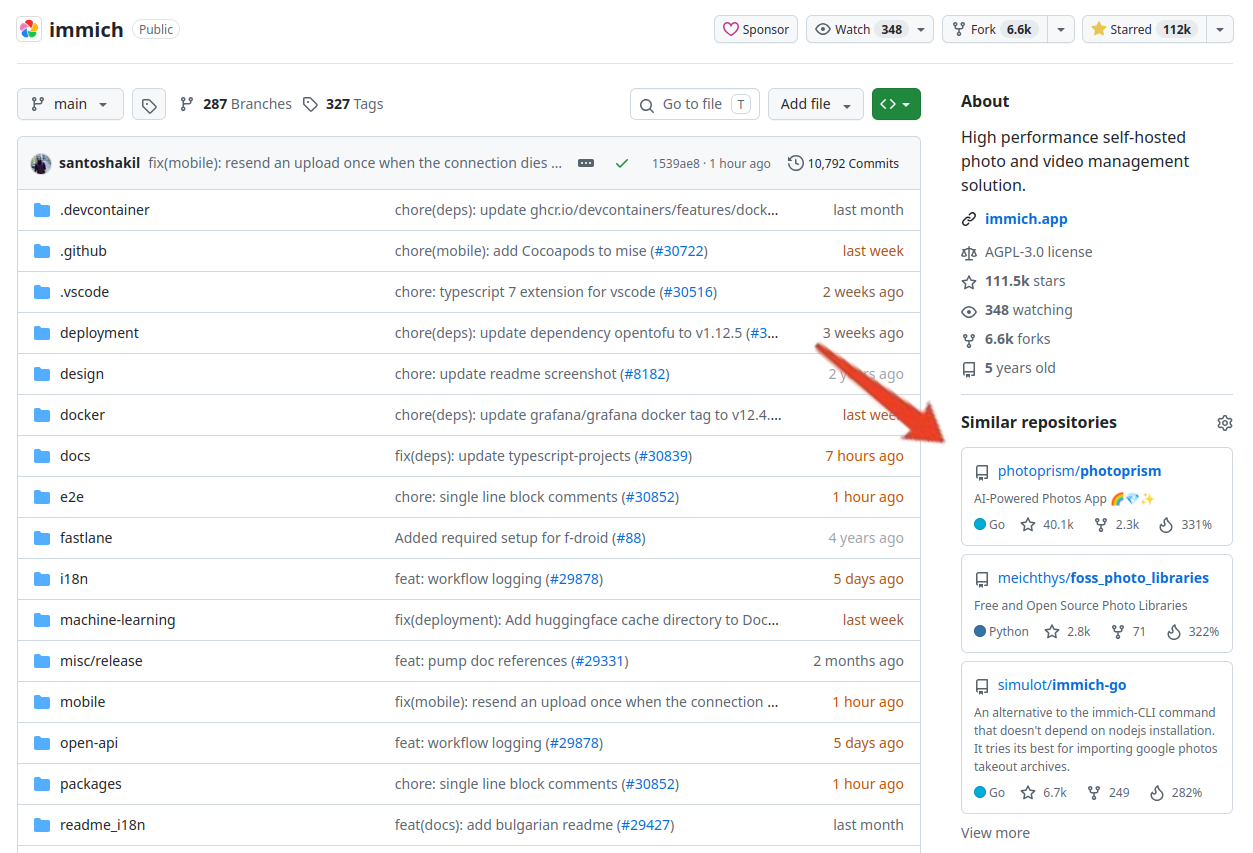
Only three similar repos are shown on the website. For unlimited lookups and to see similar repositories directly in the GitHub sidebar, install the SimRepo browser extension:




How to add a repo using 3 different formats

To add a repo, you can:
- Paste its whole URL in the search bar. e.g.
https://github.com/Mubelotix/simrepo - If you are feeling lazy, skip the
https://github.com/part. e.gMubelotix/simrepo - When the repo name matches the organization's, writing once is enough, e.g.
star-history. However, for something likehashicorp/terraformyou can't dohashicorpnorterraform, cuz they don't match and you need to specifyhashicorp/terraform.
How to add multiple repos
After adding one repo, you can continue adding more by just typing the next repo in the input box. They will be rendered in the same chart.
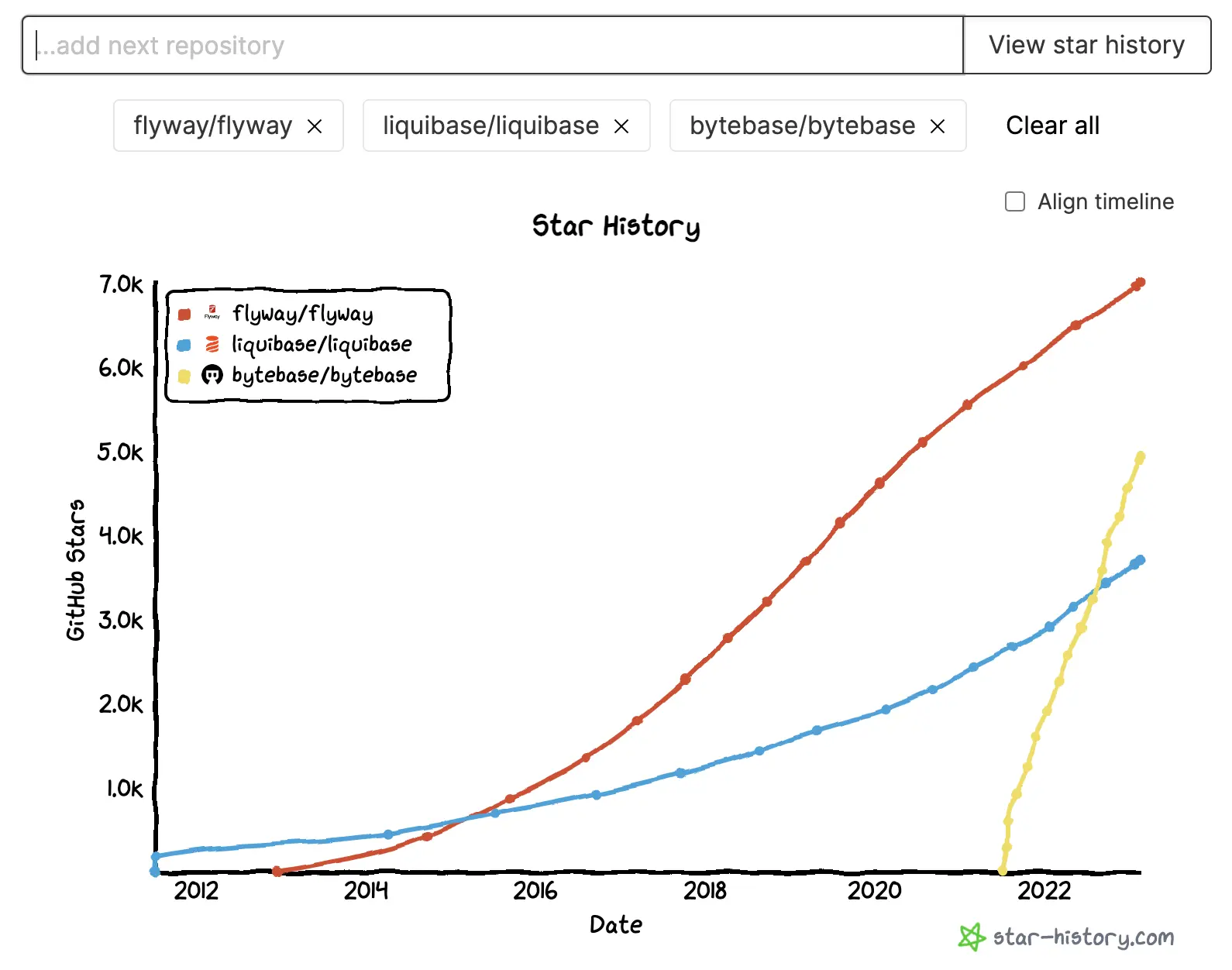
For example, if you were wondering about which database change management tool to use, here we have the history of their growth. You can not naively choose the project based on mere stars, while stars and its trajectory give you a hint about those projects worth looking at.
How to align the timeline to compare multiple repos
By checking Align timeline, the chart will be rerendered.
How to temporarily show/hide a repo in the chart
Instead of removing a repo from the chart, you can switch visibility of it by clicking the name in its label box.
How to embed a live star history chart inside your GitHub project README.md
Copy the markdown snippet and paste it into your README.md:
- Light theme: plain markdown with broad support.
- Dynamic Theme: GitHub-flavored markdown with HTML, which gives your chart an automatic dark/light theme switch.
GitHub proxies embedded images through its own servers, so no data from visitors of your pages ever reaches us.
Play around and let us know what you think! Want to start fresh? Go to the homepage.